
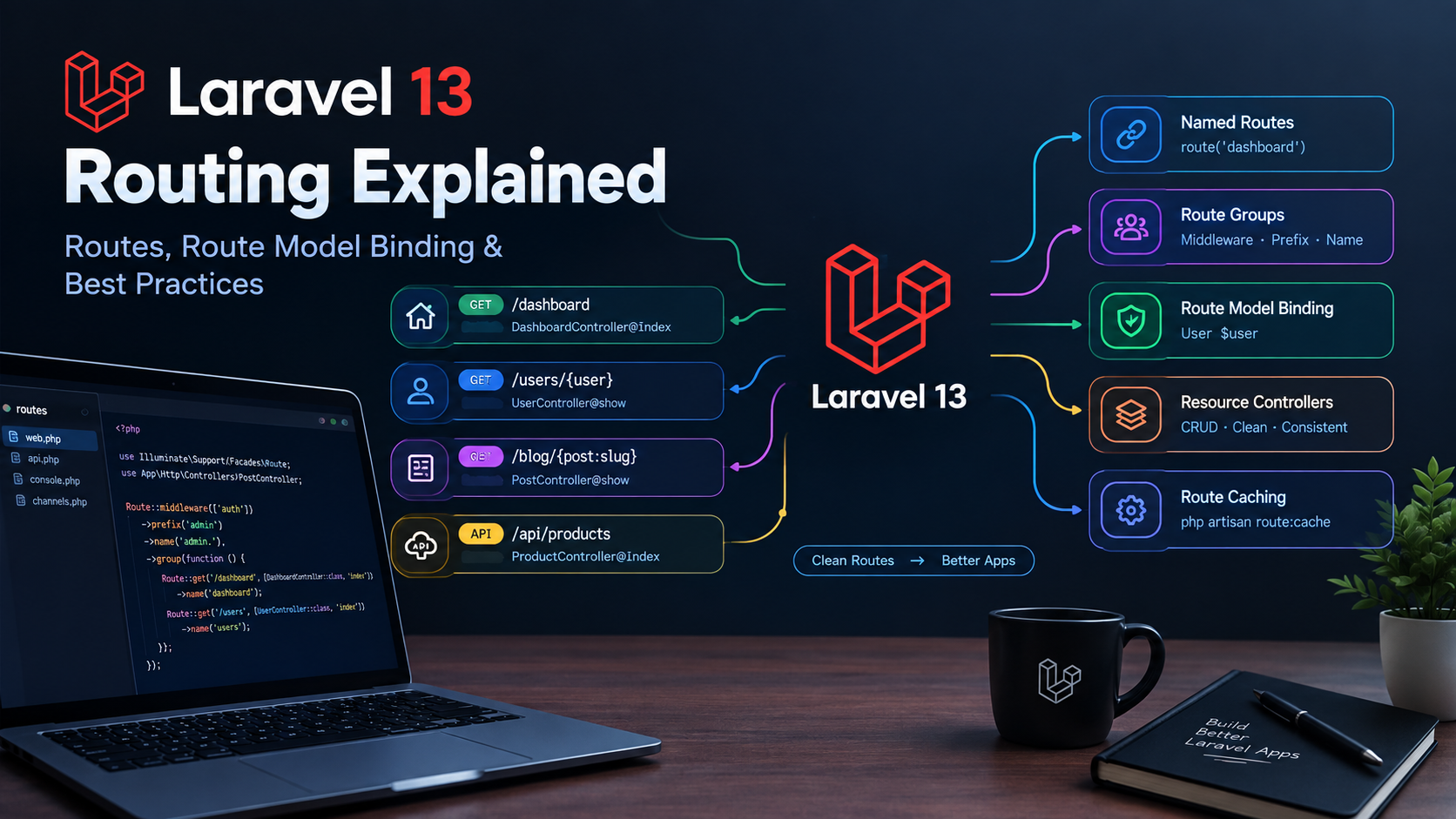
Laravel 13 Routing Explained: Routes, Route Model Binding & Best Practices
Laravel routing is one of the foundations of every Laravel application. Whether you're building a simple website, a SaaS platform, an admin panel, or a REST API, well-structured routes make your application easier to maintain, secure, and scale.
Laravel 13 provides a clean and expressive routing system with features such as named routes, route groups, middleware, route model binding, resource controllers, and API routing.
In this practical guide, we'll explore Laravel 13 routing from the basics to advanced techniques and look at best practices you can use in real-world applications.
What Is Routing in Laravel?
Routing determines how your Laravel application responds to incoming HTTP requests.
For example:
Route::get('/about', function () {
    return view('about');
});
When a visitor opens:
https://example.com/about
Laravel matches the /about URL to the route and executes the associated callback.
In a larger application, routes usually point to controller methods instead of closures:
Route::get('/users', [UserController::class, 'index']);
This keeps your routing layer clean while putting business logic inside controllers and services.
Where Are Laravel Routes Defined?
Laravel's web routes are normally stored in:
routes/web.php
A basic route looks like this:
use Illuminate\Support\Facades\Route;

Route::get('/dashboard', function () {
    return view('dashboard');
});
Laravel applications can also define API routes separately when API routing is enabled in the application.
Keeping web and API endpoints logically separated makes larger applications easier to understand.
HTTP Methods in Laravel Routes
Laravel supports the common HTTP methods used by web applications and APIs.
GET
Used to retrieve data or display a page:
Route::get('/products', [ProductController::class, 'index']);
POST
Used to create or submit data:
Route::post('/products', [ProductController::class, 'store']);
PUT
Typically used to completely update an existing resource:
Route::put('/products/{product}', [ProductController::class, 'update']);
PATCH
Used for partial updates:
Route::patch('/products/{product}', [ProductController::class, 'update']);
DELETE
Used to remove a resource:
Route::delete('/products/{product}', [ProductController::class, 'destroy']);
You can also define multiple methods on a single route:
Route::match(['get', 'post'], '/contact', function () {
    // ...
});
Route Parameters
Dynamic route parameters allow you to capture values from URLs.
For example:
Route::get('/users/{id}', function ($id) {
    return "User ID: " . $id;
});
A request to:
/users/25
would provide:
25
as the $id parameter.
You can have multiple parameters:
Route::get('/users/{user}/posts/{post}', function ($user, $post) {
    // ...
});
Optional Route Parameters
Sometimes a parameter isn't required.
Laravel allows optional parameters using ?:
Route::get('/blog/{category?}', function ($category = null) {
    return $category;
});
Both of these URLs can work:
/blog
/blog/laravel
Always provide a default value when using an optional parameter.
Route Model Binding
One of Laravel's most useful routing features is implicit route model binding.
Instead of manually retrieving a model:
Route::get('/users/{id}', function ($id) {
    $user = User::findOrFail($id);

    return $user;
});
you can allow Laravel to resolve the model automatically:
use App\Models\User;

Route::get('/users/{user}', function (User $user) {
    return $user;
});
Laravel sees {user} and the User $user type hint and automatically retrieves the corresponding model.
If the model doesn't exist, Laravel automatically returns a 404 response.
This produces cleaner and more maintainable code.
Custom Route Keys
By default, Laravel uses the model's primary key when performing implicit model binding.
You can instead bind a model using a column such as slug.
For example:
/blog/laravel-13-routing
The route can be written as:
Route::get('/blog/{post:slug}', function (Post $post) {
    return $post;
});
Laravel will now look for the post using its slug column instead of its numeric ID.
This is particularly useful for SEO-friendly URLs.
Named Routes
Named routes are extremely useful in Laravel applications.
Instead of hardcoding URLs throughout your application:
<a href="/dashboard">Dashboard</a>
you can give your route a name:
Route::get('/dashboard', [DashboardController::class, 'index'])
    ->name('dashboard');
Then generate the URL using:
route('dashboard')
In Blade:
<a href="{{ route('dashboard') }}">
    Dashboard
</a>
This means you can change the actual URL later without having to search through your entire application.
Passing Parameters to Named Routes
Suppose you have:
Route::get('/users/{user}', [UserController::class, 'show'])
    ->name('users.show');
You can generate the URL like this:
route('users.show', ['user' => $user]);
Laravel will generate the appropriate URL automatically.
Route Groups
As applications grow, repeating middleware, prefixes, or names can make your routes difficult to maintain.
Route groups solve this problem.
For example:
Route::middleware(['auth'])->group(function () {

    Route::get('/dashboard', [DashboardController::class, 'index']);

    Route::get('/profile', [ProfileController::class, 'index']);

});
Both routes now require authentication.
URL Prefixes
You can also group routes using a URL prefix:
Route::prefix('admin')->group(function () {

    Route::get('/dashboard', [AdminDashboardController::class, 'index']);

    Route::get('/users', [AdminUserController::class, 'index']);

});
The resulting URLs are:
/admin/dashboard
/admin/users
This is especially useful for admin panels.
Route Name Prefixes
You can also organize route names using a name prefix:
Route::name('admin.')->group(function () {

    Route::get('/dashboard', [AdminDashboardController::class, 'index'])
        ->name('dashboard');

    Route::get('/users', [AdminUserController::class, 'index'])
        ->name('users');

});
The resulting route names are:
admin.dashboard
admin.users
This makes large route files much easier to manage.
Middleware and Routes
Middleware allows you to filter HTTP requests before they reach your controller.
For example:
Route::middleware('auth')->group(function () {

    Route::get('/dashboard', [DashboardController::class, 'index']);

});
Only authenticated users can access the dashboard.
You can also apply middleware to an individual route:
Route::get('/admin', [AdminController::class, 'index'])
    ->middleware('auth');
Middleware is useful for:
- Authentication
- Authorization
- Rate limiting
- Request validation
- Logging
- Security checks
Resource Controllers
Laravel provides resource routing for applications that follow CRUD patterns.
Instead of manually defining seven routes:
Route::get('/products', ...);
Route::get('/products/create', ...);
Route::post('/products', ...);
Route::get('/products/{product}', ...);
Route::get('/products/{product}/edit', ...);
Route::put('/products/{product}', ...);
Route::delete('/products/{product}', ...);
you can use:
Route::resource('products', ProductController::class);
Laravel creates the conventional CRUD routes for you.
The standard actions are:
| HTTP | URL | Controller |
|---|---|---|
| GET | /products | index |
| GET | /products/create | create |
| POST | /products | store |
| GET | /products/{product} | show |
| GET | /products/{product}/edit | edit |
| PUT/PATCH | /products/{product} | update |
| DELETE | /products/{product} | destroy |
This is one of the easiest ways to keep CRUD applications consistent.
API Routing
Laravel is also well suited for building REST APIs.
A typical API route might look like:
Route::get('/products', [ProductController::class, 'index']);
For a complete resource:
Route::apiResource('products', ProductController::class);
apiResource() is useful when you don't need the HTML-oriented create and edit routes used by traditional web applications.
For example:
Route::apiResource('products', ProductController::class);
provides the core API CRUD endpoints.
Route Constraints
You can restrict route parameters using regular expressions.
For example:
Route::get('/users/{id}', function ($id) {
    return $id;
})->where('id', '[0-9]+');
Now Laravel expects the id parameter to contain digits.
You can also use Laravel's helper constraints where appropriate.
Constraints become especially useful when you have potentially conflicting routes.
Inspecting Your Laravel Routes
When debugging routing problems, one of the most useful Artisan commands is:
php artisan route:list
It displays your application's registered routes.
For example:
GET|HEAD   /dashboard
GET|HEAD   /users
POST       /users
GET|HEAD   /users/{user}
You can use filtering options to narrow the output when working with large applications.
For example:
php artisan route:list --path=api
This is an excellent first step when an endpoint isn't behaving as expected.
Route Caching in Production
Laravel can cache routes to improve application performance.
Before caching routes, make sure your routes are production-ready.
You can cache them using:
php artisan route:cache
To clear the route cache:
php artisan route:clear
When deploying a Laravel application, your deployment process should account for configuration, route, and application caches.
For more production optimization techniques, see our guide:
Laravel 13 Performance Optimization: Practical Tips to Make Your Application Faster
Laravel Routing Best Practices
Here are some practical rules that help keep Laravel applications maintainable.
1. Use Named Routes
Prefer:
route('users.show', $user)
over hardcoded URLs throughout your application.
2. Keep Business Logic Out of Routes
Avoid putting large amounts of application logic directly inside closures.
Instead of:
Route::get('/orders', function () {
    // lots of business logic...
});
use a controller:
Route::get('/orders', [OrderController::class, 'index']);
For complex applications, service classes can keep business logic even more organized.
3. Use Route Model Binding
Prefer:
Route::get('/posts/{post}', function (Post $post) {
    return $post;
});
over manually calling:
Post::findOrFail($id);
when implicit model binding fits the use case.
4. Organize Routes With Groups
Use middleware, prefixes, and route name groups to keep related routes together.
This becomes increasingly important as your application grows.
5. Use Resource Routes for CRUD
When your controller follows conventional CRUD behavior:
Route::resource('products', ProductController::class);
is usually cleaner than manually defining every route.
6. Keep API Routes Consistent
Use predictable REST-style URLs such as:
GET    /api/products
POST   /api/products
GET    /api/products/{product}
PUT    /api/products/{product}
DELETE /api/products/{product}
Consistency makes APIs easier for both developers and frontend applications to consume.
7. Don't Ignore Route Conflicts
When two routes can match similar URLs, ordering and constraints matter.
For example:
Route::get('/posts/{post}', ...);
Route::get('/posts/archive', ...);
can create ambiguity depending on the route definitions.
Use explicit routes and constraints where necessary.
Common Laravel Routing Problems
"Route not found"
First check:
php artisan route:list
Then verify:
- HTTP method
- URL
- route prefix
- middleware
- controller
- route parameter
Route changes aren't appearing
Clear the relevant cache:
php artisan optimize:clear
Then check:
php artisan route:list
Model binding returns 404
Check that:
- The model exists.
- The route parameter matches the model binding name.
- You're using the correct primary key or custom route key.
- The record hasn't been filtered by additional route binding logic.
For slug-based URLs, for example:
Route::get('/posts/{post:slug}', ...);
Laravel Routing and SEO-Friendly URLs
Routing also plays an important role in SEO.
Compare:
/blog/123
with:
/blog/laravel-13-routing-explained
The second URL is more descriptive and easier for users to understand.
For blog applications, using slugs with route model binding is a clean approach:
Route::get('/blog/{post:slug}', [PostController::class, 'show']);
You should also make sure each article has:
- A unique title
- A unique meta description
- A self-referencing canonical URL
- Appropriate structured data
- A descriptive URL
- Internal links to related content
If you're building a Laravel blog, these SEO details should be considered part of the application architecture rather than added as an afterthought.
Final Thoughts
Laravel 13 routing provides a powerful but straightforward system for connecting URLs to your application logic.
The most important features to understand are:
- Basic routes
- Route parameters
- Named routes
- Route groups
- Middleware
- Route model binding
- Resource controllers
- API resources
- Route constraints
- Route caching
For small applications, a simple routes/web.php file may be enough. As your application grows, grouping routes, using controllers, applying middleware, and relying on route model binding will make the codebase considerably easier to maintain.
If you're building a Laravel application for production, routing should also be considered alongside database optimization, caching, queues, and server configuration.
You can continue with our related guides:
Laravel 13: A Practical Guide for PHP Developers
How to Deploy a Laravel Application on a VPS
Laravel 13 Performance Optimization: Practical Tips to Make Your Application Faster
Together, these articles provide a practical foundation for developing and deploying modern Laravel applications.