
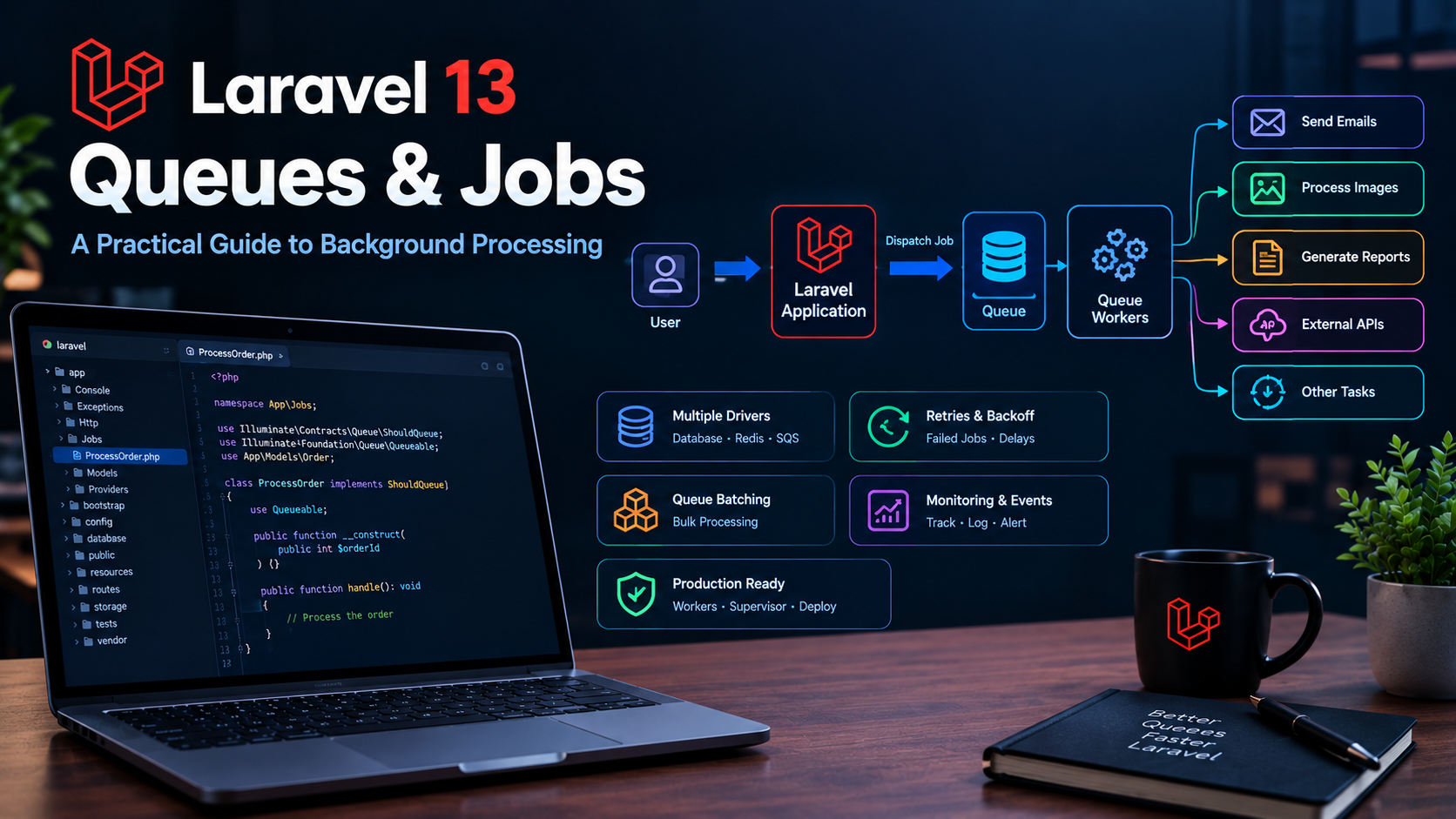
Laravel 13 Queues & Jobs: A Practical Guide to Background Processing
Not every task in a Laravel application needs to happen while the user is waiting for an HTTP response.
Sending emails, processing images, generating reports, importing large files, sending notifications, and calling external APIs can all take time. Performing these operations directly during a web request can make an application feel slow.
Laravel queues provide a clean solution.
Instead of making the user wait for a long-running task, your application can place the task on a queue and process it in the background.
In this practical Laravel 13 guide, we'll explore jobs, queues, queue connections, workers, retries, failed jobs, delayed jobs, batching, monitoring, and production best practices.
What Are Laravel Queues?
A queue allows Laravel to postpone work that doesn't need to happen immediately.
Without a queue, a request might look like this:
User
  ↓
HTTP Request
  ↓
Laravel
  ↓
Process image
  ↓
Send email
  ↓
Generate report
  ↓
Return response
  ↓
User waits
With a queue:
User
  ↓
HTTP Request
  ↓
Laravel
  ↓
Create Job
  ↓
Queue
  ↓
Return response
  ↓
User continues
       ↓
Queue Worker
       ↓
Process Job
The second approach can dramatically improve perceived application responsiveness.
What Is a Laravel Job?
A job represents a specific piece of work that Laravel can execute.
For example:
php artisan make:job SendWelcomeEmail
Laravel creates a job class that can contain the logic for sending the email.
A simplified job might look like:
namespace App\Jobs;

use Illuminate\Contracts\Queue\ShouldQueue;
use Illuminate\Foundation\Queue\Queueable;

class SendWelcomeEmail implements ShouldQueue
{
    use Queueable;

    public function handle(): void
    {
        // Send the email
    }
}
The important part is:
implements ShouldQueue
This tells Laravel that the job should be processed asynchronously by a queue worker.
Why Use Queues?
Queues are particularly useful for tasks that are:
- Slow
- Resource intensive
- Not required immediately
- Dependent on external services
- Repetitive
- Suitable for background processing
Common examples include:
Send welcome email
Send invoice
Send password notification
Send marketing email
Image processing
Resize image
Generate thumbnails
Compress images
Create WebP versions
Reports
Generate PDF
Export CSV
Generate monthly reports
External APIs
Sync CRM data
Send webhook
Call payment service
Import third-party data
Creating a Queue Job
Create a job using Artisan:
php artisan make:job ProcessOrder
A job can receive the data it needs through its constructor.
For example:
class ProcessOrder implements ShouldQueue
{
    use Queueable;

    public function __construct(
        public int $orderId
    ) {}

    public function handle(): void
    {
        // Process the order
    }
}
You can then dispatch the job:
ProcessOrder::dispatch($order->id);
The job is now placed onto the configured queue.
Dispatching Jobs
A common pattern is:
SendWelcomeEmail::dispatch($user);
Laravel takes care of placing the job onto the configured queue connection.
You can also dispatch a job after a specific delay.
For example:
SendWelcomeEmail::dispatch($user)
    ->delay(now()->addMinutes(10));
This is useful when a task should not execute immediately.
Synchronous vs Asynchronous Processing
There is an important difference between executing a job immediately and placing it on a queue.
A synchronous job effectively runs during the current request.
A queued job is placed on a queue and processed by a worker.
For production applications, asynchronous processing is generally preferable for genuinely long-running tasks because it prevents the web request from being blocked.
Queue Connections
Laravel supports multiple queue backends through queue connections.
The queue configuration is defined in:
config/queue.php
The appropriate connection is selected through your application's environment configuration.
For example:
QUEUE_CONNECTION=database
or another supported queue backend appropriate for your infrastructure.
The correct choice depends on your application's workload and hosting environment.
Database Queues
The database queue is a convenient option for applications that already use a relational database.
You can create the required queue table using the appropriate Laravel Artisan command for your application version, then run:
php artisan migrate
Once configured, jobs can be stored in the database until a worker processes them.
Database queues are easy to understand and can work well for smaller applications.
However, high-volume applications may benefit from a dedicated queue system.
Redis Queues
Redis is a popular choice for higher-performance queue processing.
A typical configuration can use:
QUEUE_CONNECTION=redis
The application then pushes jobs into Redis and queue workers retrieve them.
Redis can be a strong option when your application needs:
- High queue throughput
- Fast job dispatching
- Multiple workers
- Large numbers of background tasks
For a growing SaaS application, Redis-based queues are often worth considering.
Running a Queue Worker
Creating jobs isn't enough.
Something needs to process them.
That's the purpose of the queue worker.
A basic worker can be started with:
php artisan queue:work
The worker continuously checks the queue for new jobs.
When a job becomes available, it processes the job and moves on to the next one.
Understanding Queue Workers
A worker can be thought of as a background process:
Queue
  │
  ├── Job A
  ├── Job B
  ├── Job C
  └── Job D
        ↓
   Queue Worker
        ↓
   Execute Job
If you need more processing capacity, you can run multiple workers.
For example:
Queue
 │
 ├── Worker 1
 ├── Worker 2
 └── Worker 3
The appropriate number of workers depends on your workload and available server resources.
Queue Worker Options
Laravel provides options for controlling how workers behave.
For example:
php artisan queue:work --tries=3
This allows a job to be attempted multiple times before it is considered failed.
You can also specify a queue:
php artisan queue:work --queue=emails
This is useful when you separate workloads into different queues.
For example:
emails
reports
notifications
imports
Named Queues
You can send jobs to a specific queue:
SendWelcomeEmail::dispatch($user)
    ->onQueue('emails');
Then run a worker specifically for that queue:
php artisan queue:work --queue=emails
This allows you to prioritize different types of background work.
For example, you might want email jobs to have different processing capacity from large report-generation jobs.
Queue Priorities
You can process queues in a specific order.
For example:
php artisan queue:work --queue=high,default
The worker can prioritize the queues according to the configured order.
This is useful when some jobs are more important than others.
For example:
high
  ↓
emails
  ↓
default
  ↓
reports
A production application can use this strategy to make sure important work doesn't get stuck behind expensive background tasks.
Job Retries
External services fail.
Networks fail.
APIs become temporarily unavailable.
Databases can experience temporary problems.
For this reason, queue jobs should be designed with retries in mind.
For example:
public int $tries = 3;
This tells Laravel that the job can be attempted multiple times.
You can also configure retry behavior according to the requirements of the job.
Exponential Backoff
Retrying a failed API request immediately several times isn't always a good idea.
A better approach can be to wait progressively longer between attempts.
For example:
public function backoff(): array
{
    return [10, 30, 60];
}
This provides increasing delays between attempts.
Backoff is particularly useful when interacting with external APIs that may temporarily reject requests.
Handling Failed Jobs
Sometimes a job will continue failing even after retries.
Laravel provides failed-job handling so you can identify these failures.
A failed job can be stored for later inspection depending on your queue configuration.
You can inspect failed jobs with:
php artisan queue:failed
You can retry a failed job using the appropriate queue retry command.
For example:
php artisan queue:retry all
This gives you a way to recover from temporary failures without manually repeating the original operation.
The failed() Method
A job can define a failed() method for cleanup or notification logic.
For example:
public function failed(?Throwable $exception): void
{
    // Notify the team or perform cleanup
}
This can be useful for:
- Logging failures
- Sending administrator notifications
- Updating database status
- Cleaning temporary files
- Recording integration failures
Make Jobs Idempotent
One of the most important queue concepts is idempotency.
A job may run more than once.
For example:
Attempt 1
   ↓
Payment API request
   ↓
Timeout
   ↓
Retry
   ↓
Payment API request again
If your job isn't designed carefully, this could potentially create duplicate operations.
For critical operations, design jobs so that running them more than once doesn't produce an incorrect result.
For example, use unique transaction identifiers or database checks where appropriate.
Avoid Passing Huge Objects to Jobs
Be careful about putting large amounts of data into queued jobs.
Instead of passing a huge collection:
ProcessOrders::dispatch($orders);
consider passing identifiers:
ProcessOrders::dispatch($orderIds);
or, where appropriate, a model identifier.
The worker can retrieve the required data when processing the job.
This keeps queue payloads smaller and easier to manage.
Queueing Eloquent Models
Laravel can serialize supported Eloquent model instances for queued jobs.
For example:
SendInvoice::dispatch($invoice);
However, remember that relationships and large object graphs can increase the amount of data involved.
For predictable queue payloads, keep the job's input as small as practical.
Job Middleware
Laravel jobs can also use middleware.
Job middleware is useful when you need to apply behavior around job execution.
Potential use cases include:
- Rate limiting
- Preventing overlapping jobs
- Controlling concurrency
- Releasing jobs back onto a queue
For example, if a third-party API limits requests per minute, queue middleware can help control the request rate.
Preventing Overlapping Jobs
Imagine your application generates a report every hour.
If the report takes longer than an hour, another report could start while the first one is still running.
That may waste resources.
Job-level controls can be used to prevent overlapping work when the operation should be unique or serialized.
This is especially important for:
- Reports
- Imports
- Synchronization tasks
- Data processing
- Scheduled jobs
Queue Batches
Laravel also supports processing multiple jobs as a batch.
This is useful for large operations.
For example:
Import 100,000 customers
        ↓
Create many jobs
        ↓
Batch
 ├── Job 1
 ├── Job 2
 ├── Job 3
 ├── Job 4
 └── ...
Batches can provide progress tracking and lifecycle callbacks.
This makes them useful for large imports, exports, and multi-step processing workflows.
Queue Events
Laravel provides queue events that can be useful for monitoring application behavior.
You can track events such as:
- Job processing
- Job completion
- Job failure
- Job retries
These events can be used for logging, metrics, and operational monitoring.
Queues and Notifications
Queues work particularly well with notifications.
Instead of making the user wait while multiple notifications are sent, you can queue the notification work.
This is useful for applications that send:
- Email notifications
- Database notifications
- External service notifications
For applications with significant notification volume, background processing can make a noticeable difference to request performance.
Queues and Mail
Sending an email can involve network communication with an external mail service.
Instead of:
HTTP request
 ↓
Generate email
 ↓
Connect to mail service
 ↓
Send email
 ↓
Wait
 ↓
Return response
a queued workflow can be:
HTTP request
 ↓
Dispatch email job
 ↓
Return response
       ↓
Queue worker
       ↓
Send email
This is a common and practical use case for Laravel queues.
Queues and File Processing
Image processing is another excellent queue candidate.
Imagine a user uploads a large image.
Instead of making the upload request perform every operation:
Upload
 ↓
Resize
 ↓
Compress
 ↓
Create thumbnails
 ↓
Optimize formats
 ↓
Return response
you can return quickly after the upload and process the remaining operations in the background.
This can make applications feel significantly faster.
Queues and Large Imports
Suppose an administrator uploads a CSV containing 100,000 records.
Processing everything in a single HTTP request is risky.
Instead:
CSV Upload
    ↓
Read file
    ↓
Split into chunks
    ↓
Create jobs
    ↓
Queue
    ↓
Workers process chunks
This architecture is more scalable and allows the application to handle large imports without tying up a web request.
Queue Workers in Production
Running:
php artisan queue:work
manually in a terminal isn't a reliable production strategy.
If the terminal closes, the worker can stop.
Production workers should be managed by a process supervisor or an appropriate process-management system.
The supervisor should be able to:
- Start workers
- Restart crashed workers
- Keep workers running
- Manage multiple workers
- Handle deployments safely
On VPS infrastructure, this is an important part of production Laravel deployment.
Restart Workers During Deployment
Laravel workers are long-running processes.
When application code changes, workers may still have old code loaded in memory.
For this reason, your deployment process should include a worker restart strategy.
A common Laravel command is:
php artisan queue:restart
This signals workers to gracefully restart after completing their current job.
Your deployment process should ensure that new workers load the latest application code.
Queue Worker Memory Management
Long-running workers can gradually consume memory depending on the jobs they execute and the libraries they use.
Monitor memory usage and configure worker limits appropriate to your application.
For example:
php artisan queue:work --memory=256
The exact value should be based on your server's available resources and the memory requirements of your jobs.
Don't blindly increase memory limits to hide memory leaks.
Investigate jobs that continually increase memory usage.
Queue Timeouts
Long-running jobs should have appropriate timeout settings.
A timeout that is too short can terminate legitimate work.
A timeout that is too long can cause workers to remain occupied for excessive periods.
Choose timeouts based on the actual work performed by the job.
For example, a simple email job may need very little time, while a large report-generation job may require significantly more.
Database Transactions and Queues
Be careful when combining database transactions with queued jobs.
For example:
DB::transaction(function () use ($order) {

    $order->update([
        'status' => 'paid',
    ]);

    ProcessOrder::dispatch($order);

});
Depending on when the queued job is processed, it may run before the surrounding database transaction has committed.
For jobs that depend on committed database state, use the appropriate transaction-aware dispatching approach.
This prevents workers from trying to read data that isn't committed yet.
Don't Put Everything Into a Queue
Queues are powerful, but not every operation needs background processing.
For example:
Simple database lookup → synchronous
Simple validation → synchronous
Small calculation → synchronous
Large PDF generation → queue
Large image processing → queue
External API synchronization → queue
Bulk import → queue
The goal isn't to maximize the number of queued jobs.
The goal is to move expensive or delay-tolerant work away from the user's request.
Laravel Queues and Application Performance
Queues are closely connected to overall Laravel performance.
Your application might have:
Slow database queries
        ↓
Eloquent optimization
        ↓
Caching
        ↓
Queues
        ↓
Web server optimization
Article 5 in this series covers database optimization:
Laravel 13 Database Optimization: Eloquent, Indexing & Query Performance
For broader performance techniques, see:
Laravel 13 Performance Optimization: Practical Tips to Make Your Application Faster
And if you're deploying your Laravel application to a VPS:
How to Deploy a Laravel Application on a VPS
Practical Laravel Queue Architecture
A production application might look like this:
                    Laravel Application
                           │
             ┌─────────────┴─────────────┐
             ↓                           ↓
        HTTP Requests                 Queue
             │                           │
             ↓                           ↓
        Controllers                 Redis / Database
             │                           │
             ↓                           ↓
        Database                   Queue Workers
                                         │
                    ┌────────────────────┼─────────────────┐
                    ↓                    ↓                 ↓
                  Emails              Reports          API Sync
This architecture separates user-facing requests from background processing.
As the application grows, workers can be scaled independently from the web application.
Laravel Queue Production Checklist
Before deploying queues to production, verify:
Queue configuration
✓ Correct queue connection
✓ Correct environment variables
✓ Production queue backend configured
Workers
✓ Workers running
✓ Workers managed by a process supervisor
✓ Worker memory limits configured
✓ Worker timeout configured
Jobs
✓ Jobs have appropriate retry limits
✓ Failed jobs are monitored
✓ Long-running jobs have suitable timeouts
✓ Jobs are idempotent where necessary
Deployment
✓ New code deployed
✓ Queue workers restarted
✓ Configuration/cache updated
✓ Failed jobs monitored after deployment
Useful Artisan Commands
Here are several commands worth remembering.
Start a worker
php artisan queue:work
Process a specific queue
php artisan queue:work --queue=emails
Limit attempts
php artisan queue:work --tries=3
Restart workers
php artisan queue:restart
List failed jobs
php artisan queue:failed
Retry failed jobs
php artisan queue:retry all
Clear failed jobs
php artisan queue:flush
Always verify the available command options against the Laravel version and queue configuration used by your application.
Conclusion
Laravel queues provide one of the most practical ways to improve the responsiveness and scalability of a Laravel application.
Instead of making users wait for expensive operations, you can move appropriate work into background jobs and let queue workers process it independently.
The most important concepts to understand are:
- Jobs
- Queue connections
- Queue workers
- Delayed jobs
- Retries
- Backoff
- Failed jobs
- Job idempotency
- Queue priorities
- Queue batches
- Job middleware
- Worker memory limits
- Worker timeouts
- Production worker management
Start simple.
For a small application, a database-backed queue may be enough. As the workload grows, a dedicated queue backend such as Redis can provide a stronger foundation for high-throughput background processing.
The key principle is straightforward:
Don't make the user wait for work that doesn't need to happen during the request.
Move expensive, slow, or delay-tolerant operations into queues and let your Laravel application respond quickly.
When combined with database optimization, caching, efficient application code, and proper production server configuration, queues can become an important part of a scalable Laravel architecture.