
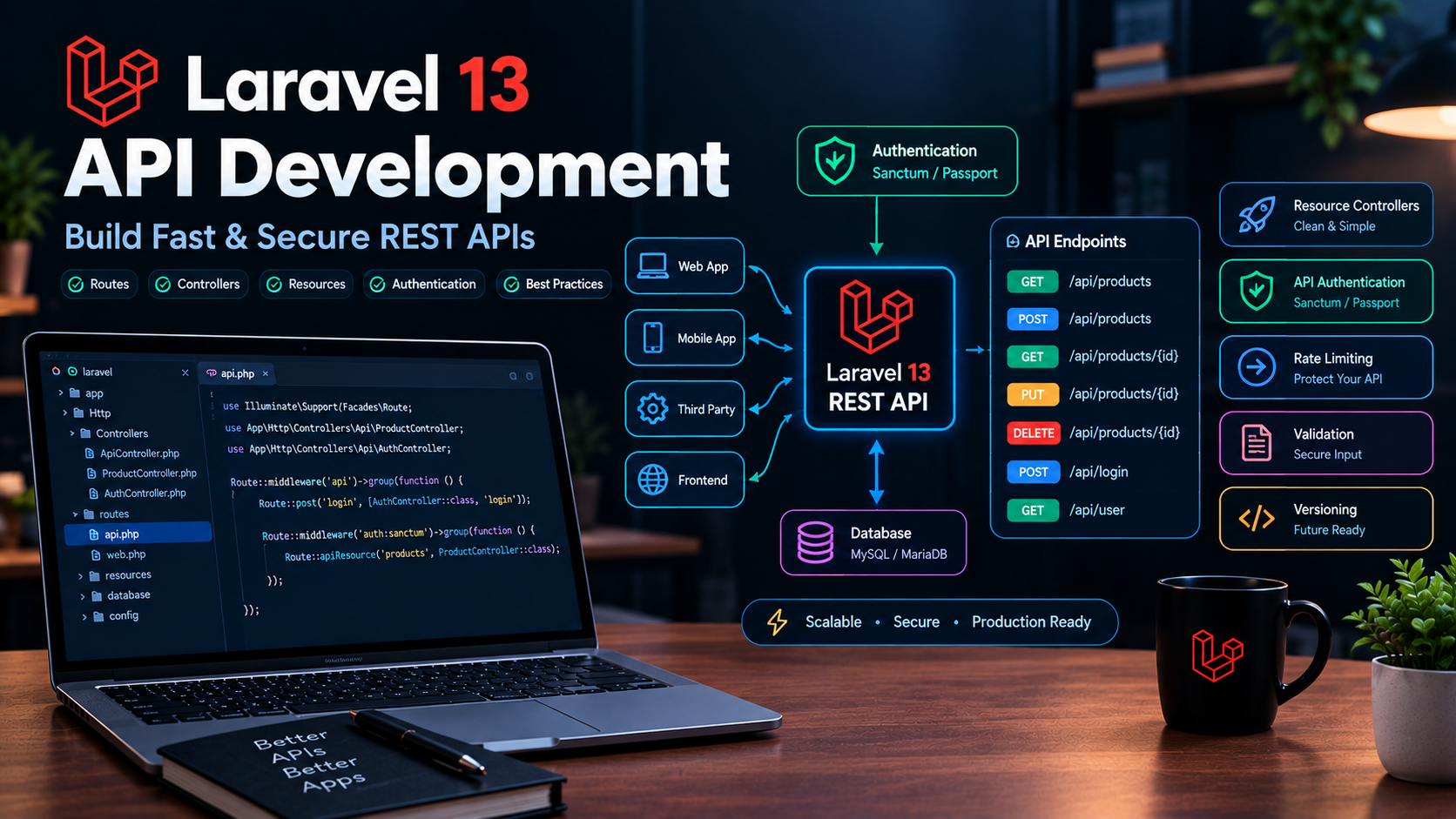
Laravel 13 API Development: Build Fast & Secure REST APIs
Modern applications rarely work as a single piece of software.
A Laravel backend may need to communicate with a React or Vue frontend, mobile applications, desktop software, third-party integrations, JavaScript clients, or other backend services.
That is where APIs become essential.
Laravel 13 provides a clean and powerful foundation for building REST APIs, including routing, controllers, validation, API Resources, authentication, rate limiting, pagination, database integration, and automated testing.
Laravel 13 can be used as the API backend for JavaScript applications, mobile applications, and other clients, while continuing to provide Laravel's authentication, database, queues, notifications, and other application services.
In this guide, we'll build a practical Laravel 13 REST API and cover the important concepts you should understand before putting an API into production.
What Is a REST API?
A REST API allows different applications to communicate using HTTP.
For example, a frontend application might request:
GET /api/products
The Laravel application processes the request and returns JSON:
{
    "data": [
        {
            "id": 1,
            "name": "Laravel Course",
            "price": 49.99
        }
    ]
}
A typical REST API uses HTTP methods such as:
| Method | Purpose |
|---|---|
| GET | Retrieve data |
| POST | Create data |
| PUT | Replace/update data |
| PATCH | Partially update data |
| DELETE | Delete data |
A simple product API might look like:
GET     /api/products
GET     /api/products/{id}
POST    /api/products
PUT     /api/products/{id}
DELETE  /api/products/{id}
This structure makes the API predictable for frontend and mobile developers.
Why Use Laravel 13 for API Development?
Laravel already provides many of the building blocks required for a production API.
You get:
- Routing
- Controllers
- Middleware
- Request validation
- Eloquent ORM
- API Resources
- Authentication
- Authorization
- Rate limiting
- Pagination
- HTTP testing
- Error handling
- Queues
- Caching
- Database transactions
Laravel 13 also adds first-party JSON:API resources, which can be useful when an API needs to follow the JSON:API specification.
This means you don't need to assemble your API architecture completely from scratch.
Creating an API in Laravel 13
If you're starting a new Laravel 13 application, you can install the API routing and authentication setup with:
php artisan install:api
Laravel's API installation process can install Sanctum and configure API routing for applications that need API functionality.
After installation, you can work with:
routes/api.php
A basic API route could look like:
use Illuminate\Support\Facades\Route;

Route::get('/products', function () {
    return [
        'products' => []
    ];
});
However, for a real application, you should move business logic into controllers rather than keeping everything inside route closures.
Creating an API Controller
You can generate a controller using Artisan:
php artisan make:controller Api/ProductController
You can then define methods such as:
namespace App\Http\Controllers\Api;

use App\Http\Controllers\Controller;

class ProductController extends Controller
{
    public function index()
    {
        // Return products
    }

    public function store()
    {
        // Create product
    }

    public function show(string $id)
    {
        // Return product
    }

    public function update(string $id)
    {
        // Update product
    }

    public function destroy(string $id)
    {
        // Delete product
    }
}
Keeping API controllers organized under an Api namespace makes larger applications easier to maintain.
API Resource Routes
For CRUD APIs, Laravel provides resource routing.
For example:
use App\Http\Controllers\Api\ProductController;

Route::apiResource(
    'products',
    ProductController::class
);
This automatically creates the common API routes.
Conceptually:
GET       /api/products
POST      /api/products
GET       /api/products/{product}
PUT/PATCH /api/products/{product}
DELETE    /api/products/{product}
You can inspect the generated routes with:
php artisan route:list
This is particularly useful when debugging API route configuration.
API Controllers and Eloquent
Suppose you have a Product model:
namespace App\Models;

use Illuminate\Database\Eloquent\Model;

class Product extends Model
{
    protected $fillable = [
        'name',
        'description',
        'price',
    ];
}
Your controller can retrieve products using Eloquent:
use App\Models\Product;

public function index()
{
    return Product::latest()->get();
}
Laravel automatically converts the Eloquent collection into a JSON response when returned from an API endpoint.
However, directly returning Eloquent models isn't always the best approach for production APIs.
That's where API Resources become useful.
Laravel API Resources
API Resources allow you to control exactly how your models are transformed into JSON.
Create one with:
php artisan make:resource ProductResource
Then:
namespace App\Http\Resources;

use Illuminate\Http\Request;
use Illuminate\Http\Resources\Json\JsonResource;

class ProductResource extends JsonResource
{
    public function toArray(Request $request): array
    {
        return [
            'id' => $this->id,
            'name' => $this->name,
            'description' => $this->description,
            'price' => $this->price,
        ];
    }
}
Your controller can now return:
use App\Http\Resources\ProductResource;
use App\Models\Product;

public function show(Product $product)
{
    return new ProductResource($product);
}
For collections:
public function index()
{
    return ProductResource::collection(
        Product::latest()->paginate(20)
    );
}
This gives you much better control over the public API contract.
Why API Resources Matter
Imagine your database contains:
id
name
description
price
cost_price
supplier_id
internal_notes
created_at
updated_at
You probably don't want to expose all of those fields to API consumers.
A Resource allows you to expose only what the client needs:
{
    "data": {
        "id": 10,
        "name": "Laravel Course",
        "description": "Learn Laravel",
        "price": 49.99
    }
}
This provides:
- Cleaner responses
- Better security
- Stable API contracts
- Easier versioning
- Less unnecessary data
API Validation
Never trust data coming from an API client.
A request might contain:
{
    "name": "",
    "price": "abc"
}
Laravel provides powerful request validation.
For example:
public function store(Request $request)
{
    $validated = $request->validate([
        'name' => ['required', 'string', 'max:255'],
        'description' => ['nullable', 'string'],
        'price' => ['required', 'numeric', 'min:0'],
    ]);

    $product = Product::create($validated);

    return new ProductResource($product);
}
Laravel automatically handles validation failures and can return appropriate validation error responses for API requests.
Form Request Validation
For larger applications, move validation into a Form Request.
Create one:
php artisan make:request StoreProductRequest
Then:
class StoreProductRequest extends FormRequest
{
    public function authorize(): bool
    {
        return true;
    }

    public function rules(): array
    {
        return [
            'name' => ['required', 'string', 'max:255'],
            'description' => ['nullable', 'string'],
            'price' => ['required', 'numeric', 'min:0'],
        ];
    }
}
Your controller becomes cleaner:
public function store(StoreProductRequest $request)
{
    $product = Product::create(
        $request->validated()
    );

    return new ProductResource($product);
}
This is a better structure for production applications.
Laravel API Authentication with Sanctum
Most private APIs need authentication.
Laravel Sanctum is designed for:
- SPA authentication
- Mobile applications
- Simple token-based APIs
- Personal access tokens
Laravel's documentation recommends Sanctum for these types of applications.
After installing API support:
php artisan install:api
your application can use Sanctum.
Adding Sanctum to the User Model
The User model can use the HasApiTokens trait:
use Laravel\Sanctum\HasApiTokens;

class User extends Authenticatable
{
    use HasApiTokens;
}
This allows users to create personal access tokens.
For example:
$token = $user->createToken(
    'mobile-app'
);
The plain-text token is available immediately after creation:
$token->plainTextToken;
Sanctum stores the token securely and API clients can send it using the Authorization header.
Using Bearer Tokens
An API client can send:
Authorization: Bearer YOUR_API_TOKEN
Laravel Sanctum can then authenticate the request.
For example:
Route::get('/user', function (Request $request) {
    return $request->user();
})->middleware('auth:sanctum');
Now the endpoint requires authentication.
Protecting API Routes
You can protect a group of routes:
Route::middleware('auth:sanctum')->group(function () {

    Route::apiResource(
        'products',
        ProductController::class
    );

});
Now users must be authenticated before accessing the product API.
Token Abilities
Sanctum tokens can also have abilities.
For example:
$token = $user->createToken(
    'admin-client',
    ['products:create', 'products:update']
);
Your application can then check whether the token has a particular ability.
This is useful when different API clients require different permissions.
For example:
Mobile App
   ↓
products:view

Admin Dashboard
   ↓
products:view
products:create
products:update
products:delete
This provides a more granular authorization model.
Authentication vs Authorization
These concepts are different.
Authentication
Authentication answers:
Who is this user?
For example:
User → Login → Token → Authenticated
Authorization
Authorization answers:
What is this user allowed to do?
For example:
Admin → Delete Product → Allowed

Customer → Delete Product → Denied
A secure API needs both.
API Authorization with Policies
Laravel Policies provide a clean way to authorize actions.
Create a policy:
php artisan make:policy ProductPolicy --model=Product
Then you can define:
public function update(
    User $user,
    Product $product
): bool {
    return $user->id === $product->user_id;
}
Your API controller can then authorize the action before updating the record.
This prevents users from modifying resources that don't belong to them.
Route Model Binding
Laravel makes it easy to retrieve models from route parameters.
Instead of:
public function show($id)
{
    $product = Product::findOrFail($id);

    return new ProductResource($product);
}
you can use:
public function show(Product $product)
{
    return new ProductResource($product);
}
Laravel automatically resolves the model from the route parameter.
This makes API controllers cleaner.
Pagination
Never return thousands of database records in a single API response.
Instead:
$products = Product::latest()
    ->paginate(20);

return ProductResource::collection($products);
The API can then return pagination information along with the data.
A frontend can request:
/api/products?page=2
This keeps responses smaller and reduces database and network load.
Filtering API Results
A useful API should allow clients to filter results.
For example:
/api/products?category=software
Your controller might use:
$query = Product::query();

if ($request->filled('category')) {
    $query->where(
        'category',
        $request->category
    );
}

$products = $query
    ->latest()
    ->paginate(20);

return ProductResource::collection($products);
Always validate filter parameters rather than blindly trusting arbitrary request input.
Searching
You can also support simple search:
$query = Product::query();

if ($request->filled('search')) {
    $query->where(
        'name',
        'like',
        '%' . $request->search . '%'
    );
}
For larger applications with sophisticated search requirements, consider Laravel Scout and a dedicated search engine rather than relying entirely on SQL LIKE queries.
API Rate Limiting
Public APIs should not allow unlimited requests.
Without rate limiting, an attacker or badly written client could generate thousands of requests.
Laravel provides rate-limiting capabilities that can be applied to API routes.
Conceptually:
Client
   ↓
Rate Limiter
   ↓
Allowed?
  ↙   ↘
Yes    No
 ↓      ↓
API    429
A common response to excessive requests is:
429 Too Many Requests
Rate limiting is especially important for:
- Login endpoints
- Password reset
- Public APIs
- Search endpoints
- Expensive operations
- Payment-related endpoints
API Error Responses
Your API should return predictable errors.
For example:
{
    "message": "Product not found."
}
For validation errors:
{
    "message": "The given data was invalid.",
    "errors": {
        "name": [
            "The name field is required."
        ],
        "price": [
            "The price must be a number."
        ]
    }
}
Consistent error structures make frontend development much easier.
HTTP Status Codes
Use appropriate HTTP status codes.
| Status | Meaning |
|---|---|
| 200 | Successful request |
| 201 | Resource created |
| 204 | Successful request with no content |
| 400 | Bad request |
| 401 | Unauthenticated |
| 403 | Unauthorized |
| 404 | Resource not found |
| 422 | Validation error |
| 429 | Too many requests |
| 500 | Server error |
For example, after creating a product:
return response()->json(
    new ProductResource($product),
    201
);
Using the correct status code gives API consumers useful information without requiring them to interpret application-specific messages.
API Versioning
As your API grows, changing the existing response format can break clients.
Instead of:
/api/products
you can use:
/api/v1/products
Later:
/api/v2/products
A typical structure might be:
app/
└── Http/
    └── Controllers/
        └── Api/
            ├── V1/
            │   └── ProductController.php
            └── V2/
                └── ProductController.php
Versioning is especially useful when your API has external consumers that you don't control.
API Response Consistency
Try to keep your response format predictable.
For example:
{
    "data": {
        "id": 1,
        "name": "Product"
    }
}
For collections:
{
    "data": [
        {
            "id": 1,
            "name": "Product A"
        },
        {
            "id": 2,
            "name": "Product B"
        }
    ]
}
Don't randomly change between:
{
    "product": {}
}
and:
{
    "data": {}
}
unless there is a deliberate reason.
Consistency is one of the most important characteristics of a good API.
Avoid Returning Sensitive Database Fields
Suppose your users table contains:
id
name
email
password
remember_token
api_secret
Never blindly return:
return User::all();
Instead, use an API Resource:
return [
    'id' => $this->id,
    'name' => $this->name,
    'email' => $this->email,
];
This creates a clear boundary between your internal database structure and your public API.
Prevent N+1 Queries
APIs can accidentally introduce N+1 query problems.
For example:
$posts = Post::all();

foreach ($posts as $post) {
    echo $post->author->name;
}
This can execute many additional queries.
Instead:
$posts = Post::with('author')->get();
This eager loads the relationship.
This is particularly important for APIs because a single endpoint can be called thousands of times.
For more on database performance, see the related guide:
Laravel 13 Database Optimization: Eloquent, Indexing & Query Performance
Caching API Responses
Frequently requested API data can also be cached.
For example:
$products = Cache::remember(
    'api.products',
    300,
    fn () => Product::latest()
        ->take(50)
        ->get()
);
Caching can significantly reduce database load for endpoints that repeatedly return the same or slowly changing information.
For a deeper look at Laravel caching and Redis, see:
Laravel 13 Caching: Redis, Cache Drivers & Real-World Examples
Queues for Expensive API Operations
Some API operations shouldn't happen during the HTTP request.
For example:
- Sending hundreds of emails
- Generating reports
- Processing uploaded images
- Importing large CSV files
- Calling slow external services
Instead, dispatch a queue job:
ProcessReport::dispatch($report);
Then return a response immediately:
{
    "message": "Report processing started."
}
This produces a much better user experience.
For more information, see:
Laravel 13 Queues & Jobs: A Practical Guide to Background Processing
API Testing
APIs should be tested automatically.
Laravel provides HTTP testing tools that make it easy to send requests to your application's routes.
For example:
public function test_products_can_be_listed(): void
{
    Product::factory()->count(3)->create();

    $response = $this->getJson('/api/products');

    $response
        ->assertOk()
        ->assertJsonStructure([
            'data'
        ]);
}
You can test:
- Authentication
- Validation
- CRUD operations
- Authorization
- Status codes
- JSON structure
- Pagination
- Rate limiting
- Error responses
Testing Authenticated APIs
Sanctum provides helpers for testing authenticated API requests.
For example:
Sanctum::actingAs(
    User::factory()->create(),
    ['products:view']
);

$response = $this->getJson(
    '/api/products'
);

$response->assertOk();
Laravel's Sanctum documentation provides Sanctum::actingAs() specifically for authenticating users during tests.
API Security Best Practices
A production API should follow several security principles.
1. Always Use HTTPS
Never send authentication tokens over plain HTTP.
Use:
https://api.example.com
instead of:
http://api.example.com
2. Validate Every Input
Don't trust:
- Query parameters
- JSON bodies
- Headers
- File uploads
- Route parameters
Validate anything that affects application behavior.
3. Use Authentication
Private resources should require authentication.
For Sanctum:
->middleware('auth:sanctum')
4. Use Authorization
Authentication alone isn't enough.
A logged-in user should not automatically have permission to modify every record.
Use policies and abilities.
5. Rate Limit Sensitive Endpoints
Especially:
/login
/password/reset
/search
/api/*
6. Don't Expose Secrets
Never return:
password
api_secret
private_token
database credentials
internal configuration
7. Avoid Mass Assignment Vulnerabilities
Use $fillable or $guarded carefully.
For example:
protected $fillable = [
    'name',
    'description',
    'price',
];
Then use validated input:
Product::create(
    $request->validated()
);
A Production Laravel 13 API Architecture
A scalable API might look like:
Client
  │
  ↓
HTTPS
  │
  ↓
Rate Limiting
  │
  ↓
Authentication
  │
  ↓
Authorization
  │
  ↓
Controller
  │
  ├── Validation
  │
  ├── Service Layer
  │
  ├── Eloquent
  │
  ├── Cache
  │
  └── Queue
  │
  ↓
API Resource
  │
  ↓
JSON Response
This separation makes applications easier to maintain as they grow.
Recommended Laravel 13 API Folder Structure
For a larger project, you might use:
app/
├── Http/
│   ├── Controllers/
│   │   └── Api/
│   │       └── V1/
│   │           ├── AuthController.php
│   │           └── ProductController.php
│   │
│   ├── Requests/
│   │   └── Api/
│   │       ├── StoreProductRequest.php
│   │       └── UpdateProductRequest.php
│   │
│   └── Resources/
│       └── Api/
│           └── V1/
│               └── ProductResource.php
│
├── Models/
│   └── Product.php
│
├── Policies/
│   └── ProductPolicy.php
│
├── Services/
│   └── ProductService.php
│
└── Jobs/
    └── ProcessProduct.php

routes/
└── api.php
You don't need all of these directories on day one.
Start simple and introduce additional layers when the application actually needs them.
Example Complete Product API
A simple route:
Route::apiResource(
    'products',
    ProductController::class
);
Controller:
class ProductController extends Controller
{
    public function index()
    {
        return ProductResource::collection(
            Product::latest()->paginate(20)
        );
    }

    public function show(Product $product)
    {
        return new ProductResource($product);
    }

    public function store(StoreProductRequest $request)
    {
        $product = Product::create(
            $request->validated()
        );

        return new ProductResource($product);
    }

    public function update(
        UpdateProductRequest $request,
        Product $product
    ) {
        $product->update(
            $request->validated()
        );

        return new ProductResource($product);
    }

    public function destroy(Product $product)
    {
        $product->delete();

        return response()->noContent();
    }
}
This gives you a clean foundation for a production CRUD API.
Useful Artisan Commands
Here are some commands you'll frequently use when building Laravel APIs:
php artisan install:api
php artisan make:controller Api/ProductController
php artisan make:resource ProductResource
php artisan make:request StoreProductRequest
php artisan make:policy ProductPolicy --model=Product
php artisan route:list
Run your tests with:
php artisan test
Laravel 13 API Development Checklist
Before deploying your API, verify:
- HTTPS is enabled
- API routes are organized
- Controllers are separated from business logic
- Request validation is implemented
- API Resources control JSON output
- Authentication is enabled where required
- Authorization policies are implemented
- Rate limiting is configured
- Pagination is used for large collections
- N+1 queries are avoided
- Sensitive database fields are hidden
- API errors have consistent responses
- API versioning is considered
- Expensive operations use queues
- Frequently requested data is cached
- Automated API tests exist
- Production logs and monitoring are configured
Conclusion
Laravel 13 provides an excellent foundation for building modern REST APIs.
The framework gives you the essential pieces:
Routes
   ↓
Controllers
   ↓
Validation
   ↓
Authentication
   ↓
Authorization
   ↓
Eloquent
   ↓
API Resources
   ↓
JSON
For small applications, you can start with a few routes and controllers.
As the application grows, introduce:
- Sanctum authentication
- API Resources
- Form Requests
- Policies
- Rate limiting
- Pagination
- Caching
- Queues
- API versioning
- Automated tests
The most important principle is to build your API with a clear contract between the backend and its consumers.
A well-designed Laravel API should be secure, predictable, testable, and easy for other applications to consume.
Laravel 13's continued improvements, including first-party JSON:API resources and other developer-focused APIs, make it an even stronger choice for modern backend development.
Continue Learning
If you're building a production Laravel 13 application, continue with these related guides:
- Laravel 13: A Practical Guide for PHP Developers
- How to Deploy a Laravel Application on a VPS | Step-by-Step Guide
- Laravel 13 Performance Optimization: Practical Tips to Make Your Application Faster
- Laravel 13 Database Optimization: Eloquent, Indexing & Query Performance
- Laravel 13 Queues & Jobs: A Practical Guide to Background Processing
- Laravel 13 Caching: Redis, Cache Drivers & Real-World Examples